
Most small businesses don't overspend on software because of one bad decision. They overspend because of twenty small ones: a scheduling tool someone signed up for, a link shortener from an old campaign, a second form builder because the first one felt clunky. Black Friday sales make that pattern worse, because the discounts are real and the decision window is short.
This playbook is how we suggest approaching AppSumo's Black Friday period if you run a small business, an agency or a consulting team. It is not a list of deals. It is the process you run before you open the deal pages.
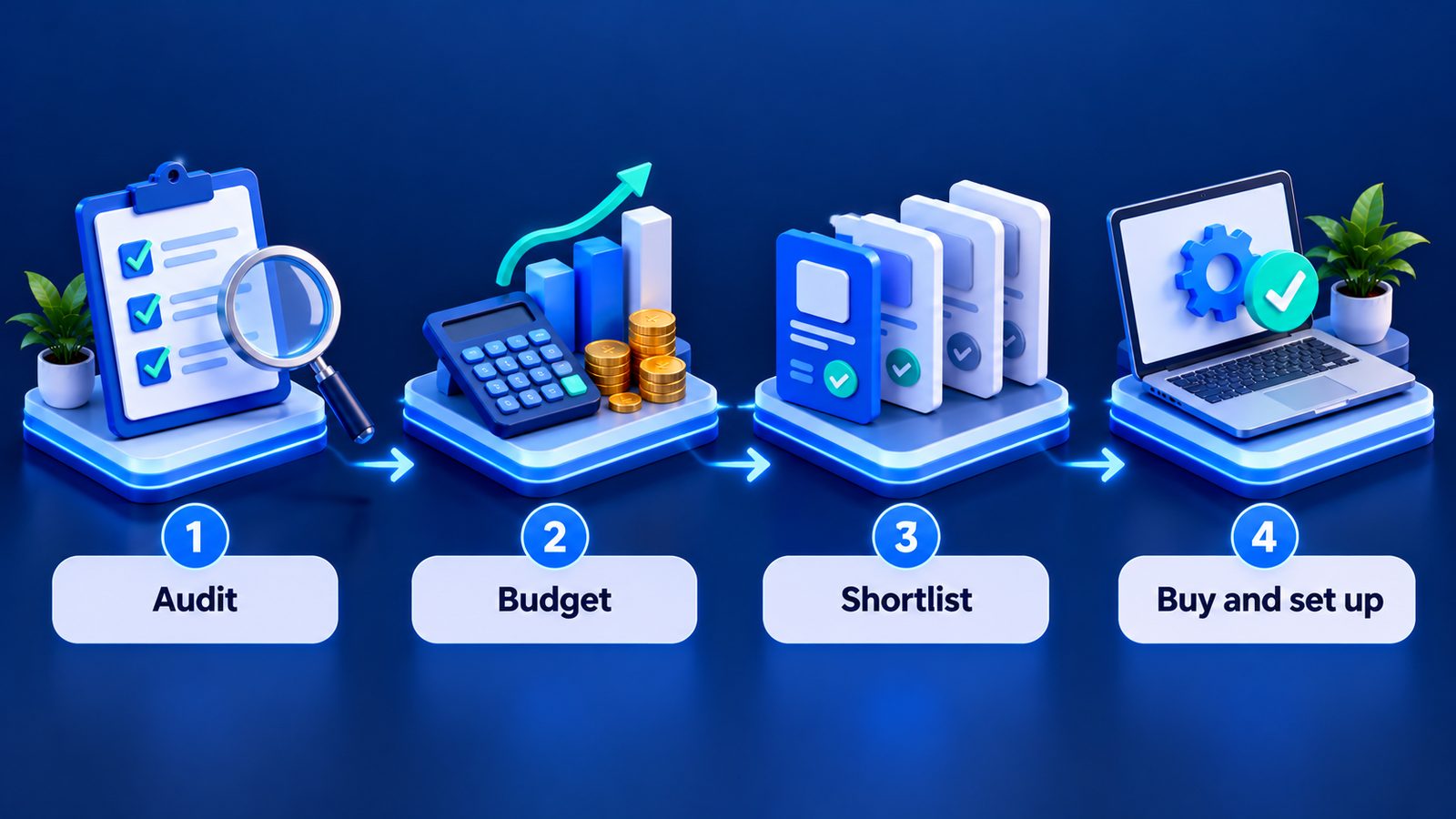
When AppSumo's Black Friday usually happens
AppSumo has typically run its Black Friday sale from mid-to-late November (2024: 18 Nov to 3 Dec; 2025: 17 Nov to 2 Dec). As of 20 October 2026, we have not seen 2026 dates announced, so treat any specific schedule you read elsewhere with caution until AppSumo publishes it.
Based on third-party coverage of previous years, the sale has used staggered "drops" where a deal sits at its lowest price for a limited time before the price goes up, plus a sitewide discount later in the window. Members of AppSumo Plus have also received an extra discount and extended access in past years. None of that is guaranteed for 2026, but it tells you one useful thing: the earliest days of the sale tend to reward people who already know what they want.
That is the whole point of doing the work now.
Step 1: Audit the stack you already have
Before you look at anything new, write down every tool the business pays for or depends on. A simple spreadsheet is enough. For each tool, capture:
- What it does in one line (for example, "e-signatures for client proposals").
- Who uses it and how often. Daily, weekly, "the founder once a quarter".
- What it costs per month or per year, and when it renews.
- What it connects to: CRM, calendar, email platform, Zapier or similar.
- Who owns the account and whether the login sits with a person who might leave.
You will almost always find overlap. Two tools that both do scheduling. A project tool that already has a client portal nobody switched on. A paid plan that is one tier higher than you need. Our stack-audit checklist goes deeper on this, including seats, SSO and data export.
The audit gives you two lists: subscriptions you could replace, and gaps you genuinely need to fill. Only those two lists should drive your Black Friday buying.
Step 2: Set a budget, and a rule for exceptions
Lifetime deals feel cheap per item, which is exactly why totals creep up. Decide on a fixed number for the whole sale before it starts. A sensible way to size it is to look at what the subscriptions on your "could replace" list cost you over a year. If the deals you buy don't remove at least part of that recurring spend, or fill a gap you'd otherwise pay monthly for, they are not saving money. They are adding tools.
Write down one exception rule too. For example: "We only go over budget if a deal directly replaces a subscription we are already paying for." Having that sentence written down makes it much easier to say no at 11pm when a countdown timer is running.
Step 3: Build a shortlist before the sale opens
Go through live deals now and note which ones map to your gaps. Prices at Black Friday may differ from what you see today, so the goal is to understand tiers and limits, not to lock in a number.
For each candidate, record:
- The tier you would actually need. Look at users, accounts, credits, workspaces or monthly caps. A $49 tier that caps you at 10 social accounts is useless if you manage 30.
- The subscription it would replace, and what that subscription costs you today.
- The limits that matter to your team, such as team members, storage or monthly usage.
- Integration fit. Does it connect to the tools from your audit, either natively or through an automation platform?
- Review signal. AppSumo shows a rating and review count on each deal page. A product with a 4.9 average from several hundred reviews tells you something different from a 3.7 or a 4.0 from a dozen.
To give you a sense of what the current catalogue looks like for business stacks, these were live at the time of writing (20 October 2026), and we break several down in our roundup of AppSumo deals for small businesses and agencies:
- FuseBase (client portals and AI workspaces) from $79 for 1 user.
- SocialBu (social scheduling and analytics) from $49 for 10 accounts.
- Reoon Email Verifier from $79 per code for 100K lifetime credits plus 500 credits a day.
- TidyCal (booking pages) at $29 for the Individual tier.
Confirm every price on the deal page before you buy. Deals change tiers, sell out or end without much notice.
Step 4: Decide your stacking and seat strategy
Many AppSumo deals let you stack codes to unlock higher limits, or offer higher tiers with more users. This is where small teams make expensive mistakes in both directions. Buy too little and you hit a cap six months in, often with no way to upgrade at the deal price. Buy too much and you've paid for seats nobody fills.
A reasonable rule is to buy for the team size you expect in 12 to 18 months, not the size you hope to be in five years. Software and vendors change a lot in five years.
Step 5: Use the refund window like a trial
AppSumo deals have generally carried a 60-day refund window at the time of writing. Check the terms on each deal page, because that is what applies to your purchase. Treat those 60 days as an evaluation period with a calendar reminder, not as a safety net you'll get around to eventually.
In practice that means:
- Set up the tool with real data in the first week, not a test project.
- Connect it to at least one system from your audit.
- Try the data export before you rely on it.
- Decide by day 45 so you're not rushing a refund request at the deadline.
Step 6: Be honest about vendor risk
"Lifetime" on AppSumo means the lifetime of the product, not your lifetime. If a vendor shuts down, gets acquired or changes direction, your deal goes with it. That's not a reason to avoid lifetime deals, but it is a reason to avoid putting your single most critical system on a small vendor without an exit plan. Keep your core data somewhere you control, and prefer tools that let you export cleanly.
We cover this trade-off in more detail in lifetime deals vs subscriptions.
A one-page Black Friday checklist
- Stack audit done, with "replace" and "gap" lists.
- Total budget written down, plus one exception rule.
- Shortlist with the exact tier needed for each tool.
- Integration check against your current stack.
- Calendar reminders for day 7 (set up), day 30 (review) and day 45 (keep or refund).
If you want a second pair of eyes on your stack before the sale, that's the kind of work we do. See our services or get in touch.
FAQ
When is AppSumo's Black Friday sale in 2026?
At the time of writing (20 October 2026), AppSumo hadn't announced 2026 dates. In previous years it ran from mid-to-late November (18 Nov to 3 Dec in 2024, 17 Nov to 2 Dec in 2025). Check AppSumo directly closer to the date.
Should I wait for Black Friday or buy a deal now?
If a deal fills a real gap and you need it now, waiting a month to maybe save a little rarely makes sense, especially since some deals sell out. If it's a "nice to have", put it on your shortlist and decide during the sale.
Is AppSumo Plus worth it for Black Friday?
At the time of writing, Plus costs $12 a month, $99 a year or $199 a year for Pro, and includes 10% off every order. Whether it pays off depends on how much you plan to spend. Do the arithmetic against your budget rather than assuming it's worth it.
How many lifetime deals should a small team buy?
There's no right number. A good test is whether each purchase either replaces a subscription you already pay for or fills a gap from your audit. If it does neither, skip it.